 NexTerm
Close the lid.
Your session's still there.
A native macOS cockpit for SSH, SFTP, databases and containers — built around the part every other client leaves to you: staying connected.
14 days free · the whole app · no card required
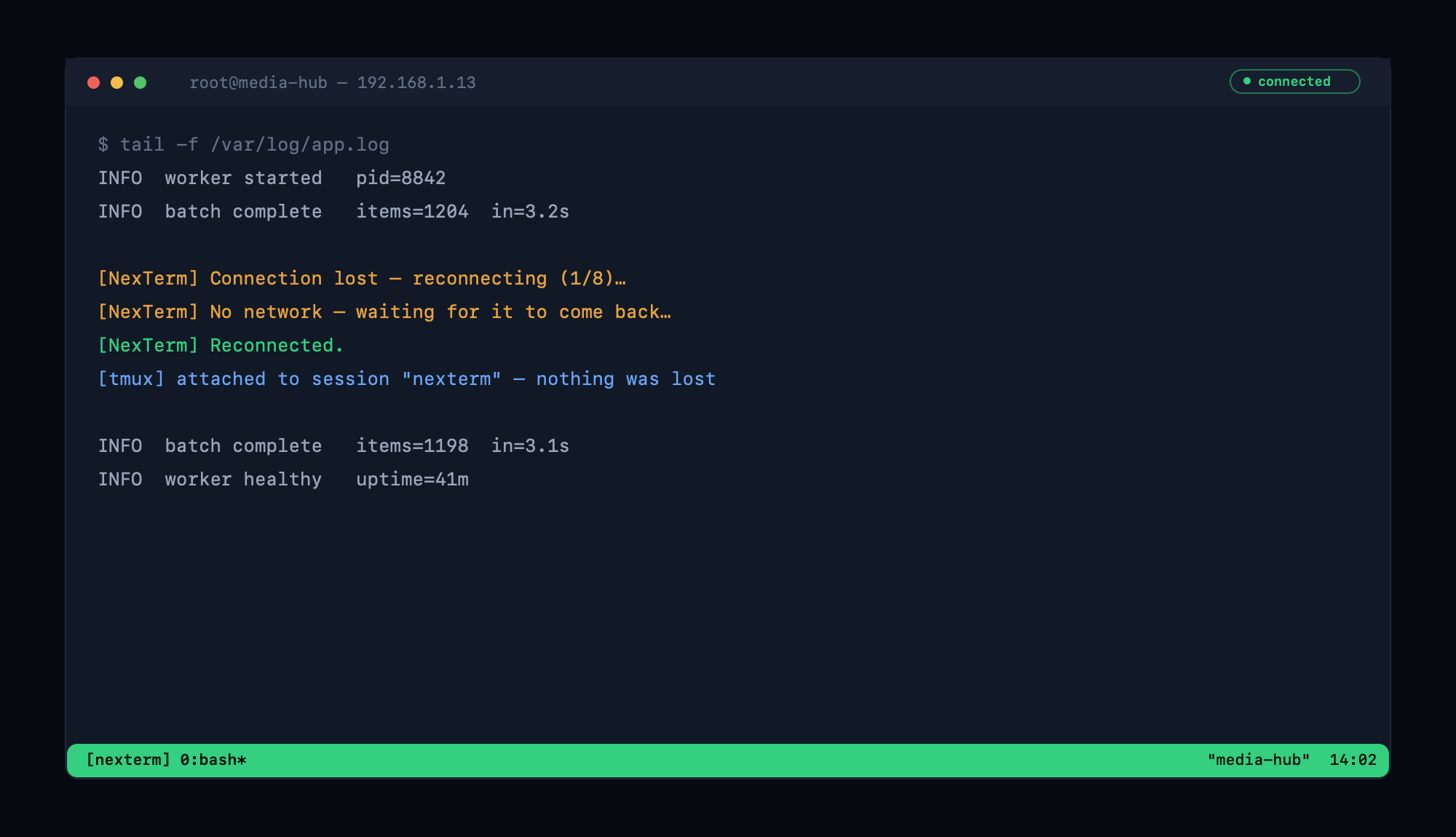
A dropped connection repairing itself, then re-attaching to tmux — nothing lost.
Reconnecting shouldn't be your job.
Every SSH client drops. NexTerm is the one that treats coming back as its own problem instead of yours.
- 01
The connection dies
You shut the laptop, switch networks, or the Wi-Fi gives up. Nothing on your side needs to notice.
- 02
It waits instead of failing
With no network, NexTerm waits for one rather than burning through retries and giving up thirty seconds before you walk back in.
- 03
It rebuilds into the same tab
Same window, scrollback intact, no re-authentication. A heartbeat holds idle sessions open through NAT timeouts, and waking your Mac revives anything that died while the lid was shut.
- 04
Your work is still running
Switch on persistent sessions and your shell lives inside tmux on the server — you land back in the same session, build still going, file still open.
Four apps. One window.
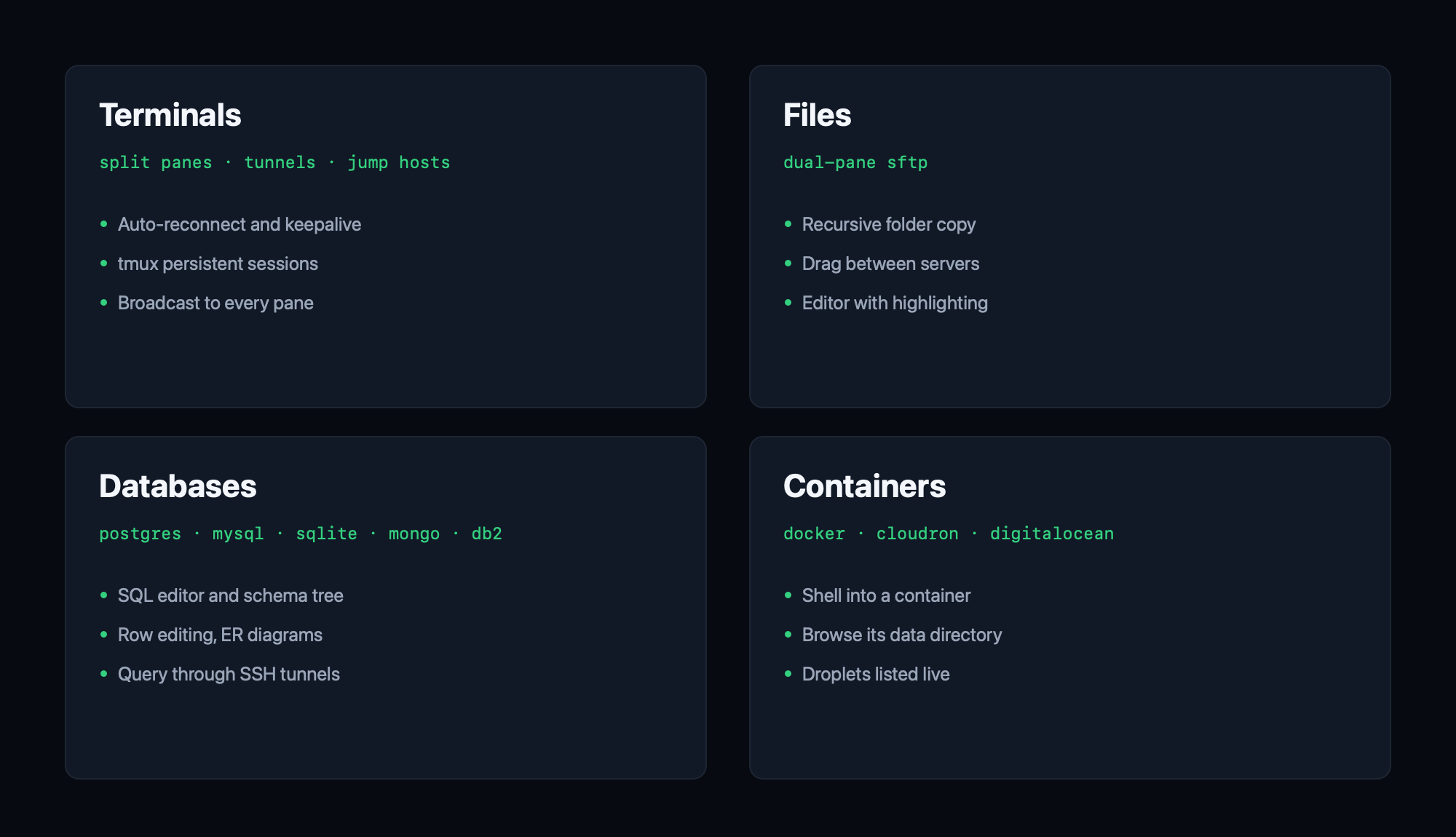
The tools you keep open at once, in one place — with tabs that hold their connection when you switch between them.
A real terminal, not a text box
Split panes, themes, port forwarding, jump hosts, and broadcast typing to every pane at once. A local shell for your own Mac is built in.
Dual-pane SFTP that keeps up
Drag between two servers or straight to Finder. Whole folders copy recursively, transfers are pipelined for real speed, and text files open in an editor with syntax highlighting.
Query through the tunnel
PostgreSQL, MySQL, SQLite, MongoDB and DB2 over SSH — SQL editor, schema tree, row editing, ER diagrams, export and import. No second client, no manual port forward.
Shell into anything
Docker and Cloudron apps open a shell inside the container or browse its data directory. DigitalOcean droplets list live and connect in one click.
Local by default.
A tool holding every credential you own should be boring about where they go. Yours stay on your Mac.
- An encrypted vault, not a sync service. Passwords, SSH keys, database and API credentials are encrypted on disk. On Macs with a Secure Enclave the vault key is sealed by hardware. There's no account, and nothing is uploaded anywhere.
- Host keys are pinned. The first connection shows the server's fingerprint for you to approve, exactly like ssh. If a key changes later, the connection stops.
- Touch ID before connecting. An unlocked laptop isn't an open door to production.
- AI stays off until you turn it on. It needs your own API key and an explicit opt-in, and command output is redacted before anything leaves the machine.
Buy it once.
No subscription, no seat count, no account. A license key and an app that keeps working.
one-time · personal license
Buy NexTerm Download the trial- The complete app free for 14 days — nothing held back, no card.
- One key activates one Mac; deactivate to move machines.
- A year of updates; the version you bought keeps working after.
- macOS 15 or later, Apple silicon and Intel.
Before you buy.
Is it on the Mac App Store?
No — and it can't be. App Store apps run in a sandbox that forbids a real local shell and free access to your filesystem, which are two of the things NexTerm exists to do. Buying direct means you get the whole app rather than a cut-down one.
What happens when the trial ends?
NexTerm asks for a license key and waits. Nothing is deleted — your connections, keys and settings are exactly where you left them, and they're all there the moment you activate.
Can I use it on my laptop and my desktop?
One key activates one Mac at a time. Open Settings → License → Deactivate on the first machine and the seat is immediately free for the second. If you want both running at once, buy a second key.
Do I need tmux on my servers?
Only for persistent sessions, where your work survives a disconnect and not just the connection. Automatic reconnect, the keepalive and wake recovery all work on a stock server with nothing installed.
I lost my license key.
Retrieve it any time from the Lemon Squeezy order portal using the email you bought with — no support ticket needed. For anything else about your purchase, email support@nexterm.io.
Does anything leave my Mac?
Your credentials never do — there's no account and no sync. The app talks to your servers, and to Lemon Squeezy to check your license. AI features are off until you add your own API key and opt in.